Retention, legal hold and eDiscovery for Stalwart
The Compliance add-on gives organisations with record-keeping obligations the tools to keep what they must, delete what they should, and find any message when a regulator, auditor or court asks for it. Retention policies, legal holds, cross-mailbox search, export and journaling run inside the Stalwart server, under roles that keep compliance work separate from day-to-day administration, and every action is recorded in an audit trail in which any change is detectable.
Retention policies for every tenant, domain, account and folder.
Keeping everything forever is a liability, and deleting too early is a breach. Retention policies decide how long each kind of data is kept and what happens when the period ends: keep it, delete it, or keep it for a fixed period and then delete it. A default policy covers the whole deployment, and narrower rules apply to a tenant, domain, group, account or folder, or to messages matching a sender, recipient or search. When rules overlap, the outcome is predictable: the longest retention period wins, and a legal hold always prevails over deletion. A minimum retention period can be set that neither end users nor administrators can shorten, so mail that must be kept stays available even after a user empties the trash.
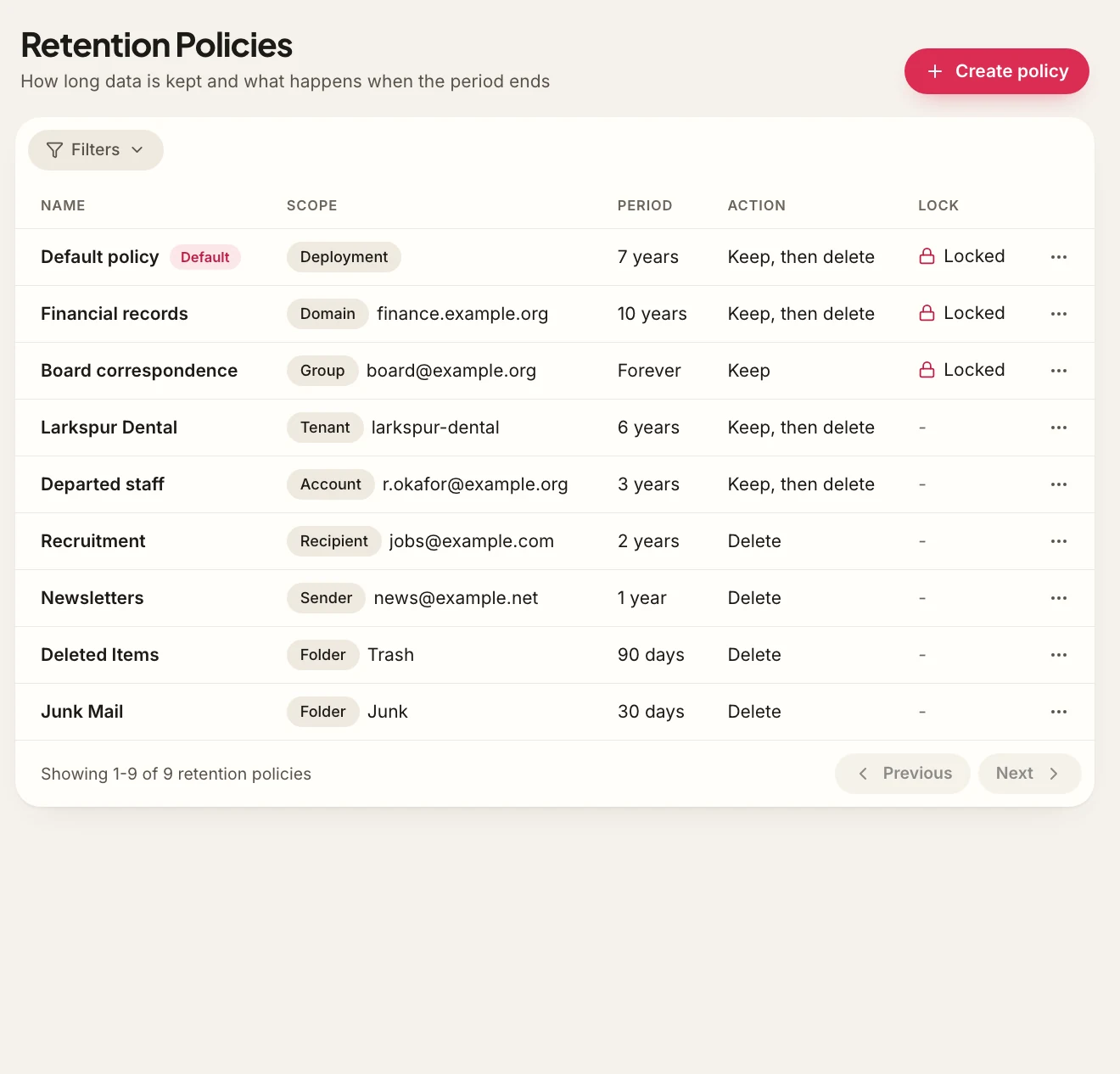
- Keep, delete, or keep and then delete, with a keep-forever option.
- Rules scoped by tenant, domain, group, account, folder, sender, recipient, age or search query.
- Longest retention wins; a hold always prevails over deletion.
- Minimum retention period that users and administrators cannot shorten.
- Deleted items stay recoverable by compliance staff for the retention period, out of sight of the user.
- A preview of how many existing messages a new or changed rule affects, before it is applied.
Legal hold that overrides retention and deletion.
When litigation or an investigation is expected, the relevant data has to be preserved from that moment on. A legal hold preserves everything in scope until it is released: no retention policy or administrator action through Stalwart can remove it. Users keep deleting and moving items as usual and are not told their mailbox is on hold; anything they delete is preserved out of their sight. Holds can cover a whole account or only the items that match a query, such as a date range, a set of correspondents or a list of keywords. They are grouped into cases, so a single matter can hold several custodians and its holds are released together when it closes.
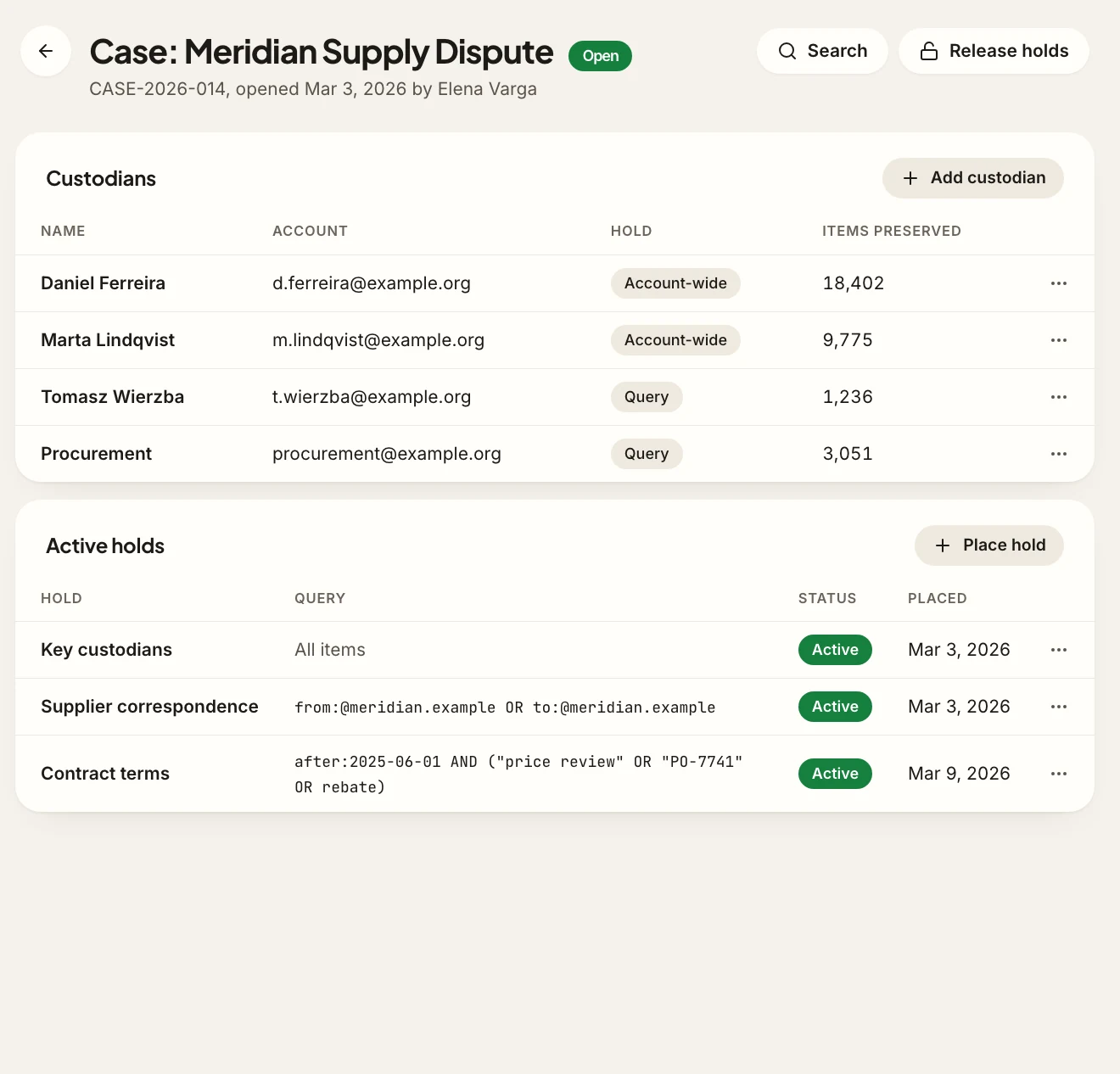
- Account-wide holds and query-scoped holds (dates, correspondents, keywords, folders).
- Holds grouped into cases, with several custodians per case.
- Covers mail, calendars, contacts and files, including shared mailboxes.
- Data stays preserved when the account is suspended or deleted.
- A deployment-wide list of active holds, and a clear record of when each was placed and released.
Search and export across every mailbox.
Answering a subject-access request, a regulator or a court means finding every relevant item, quickly and completely. eDiscovery search runs across live mailboxes, retained deleted items and held data at once, under a dedicated role, so it does not require giving investigators administrator rights. Searches use keywords, Boolean operators, metadata and the text of attachments, and show the number of hits before anything is exported. Results can be reviewed and tagged inside the case, then exported in open formats with a metadata file and an integrity manifest, so the recipient can verify that nothing was changed in transit.
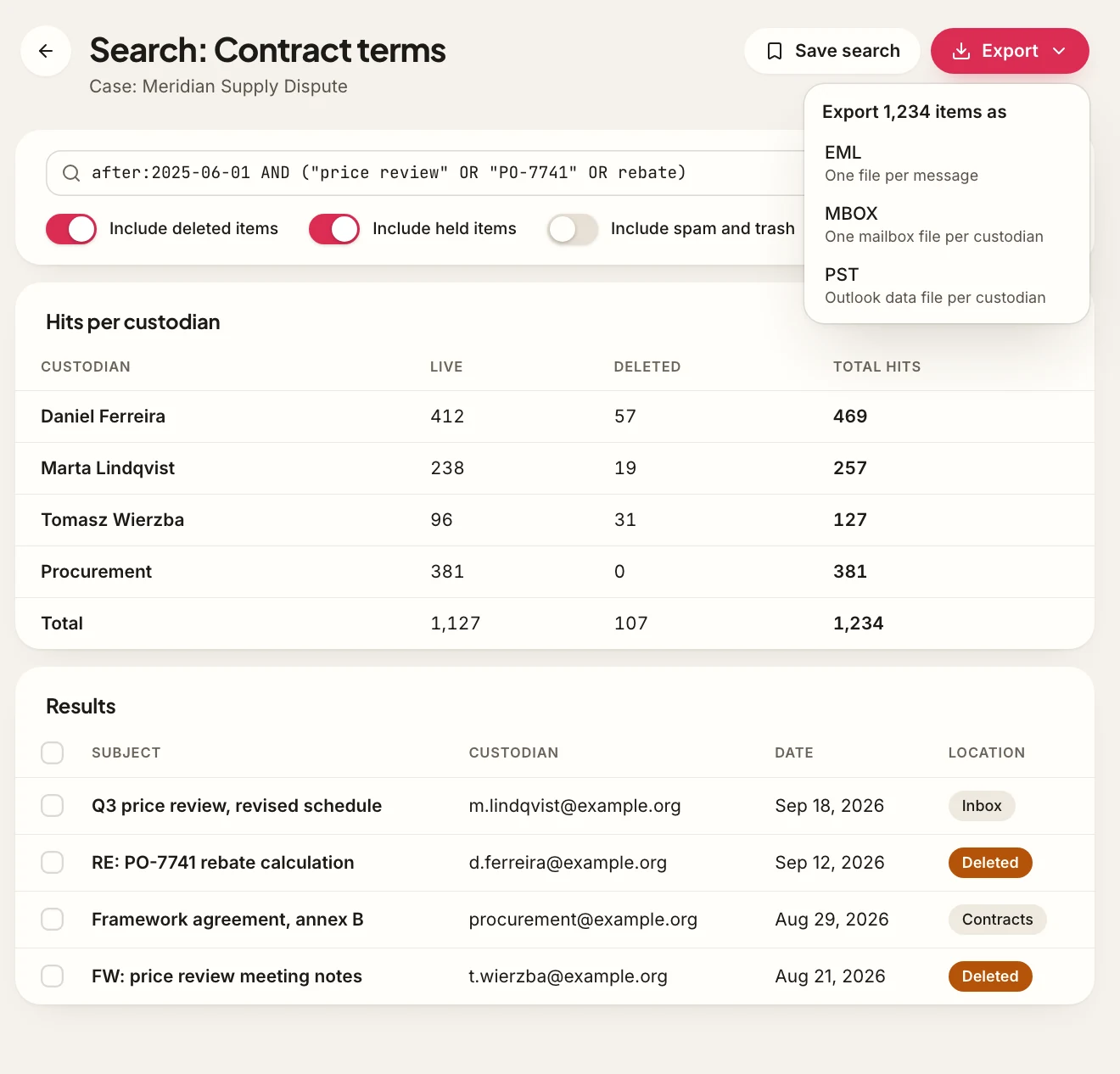
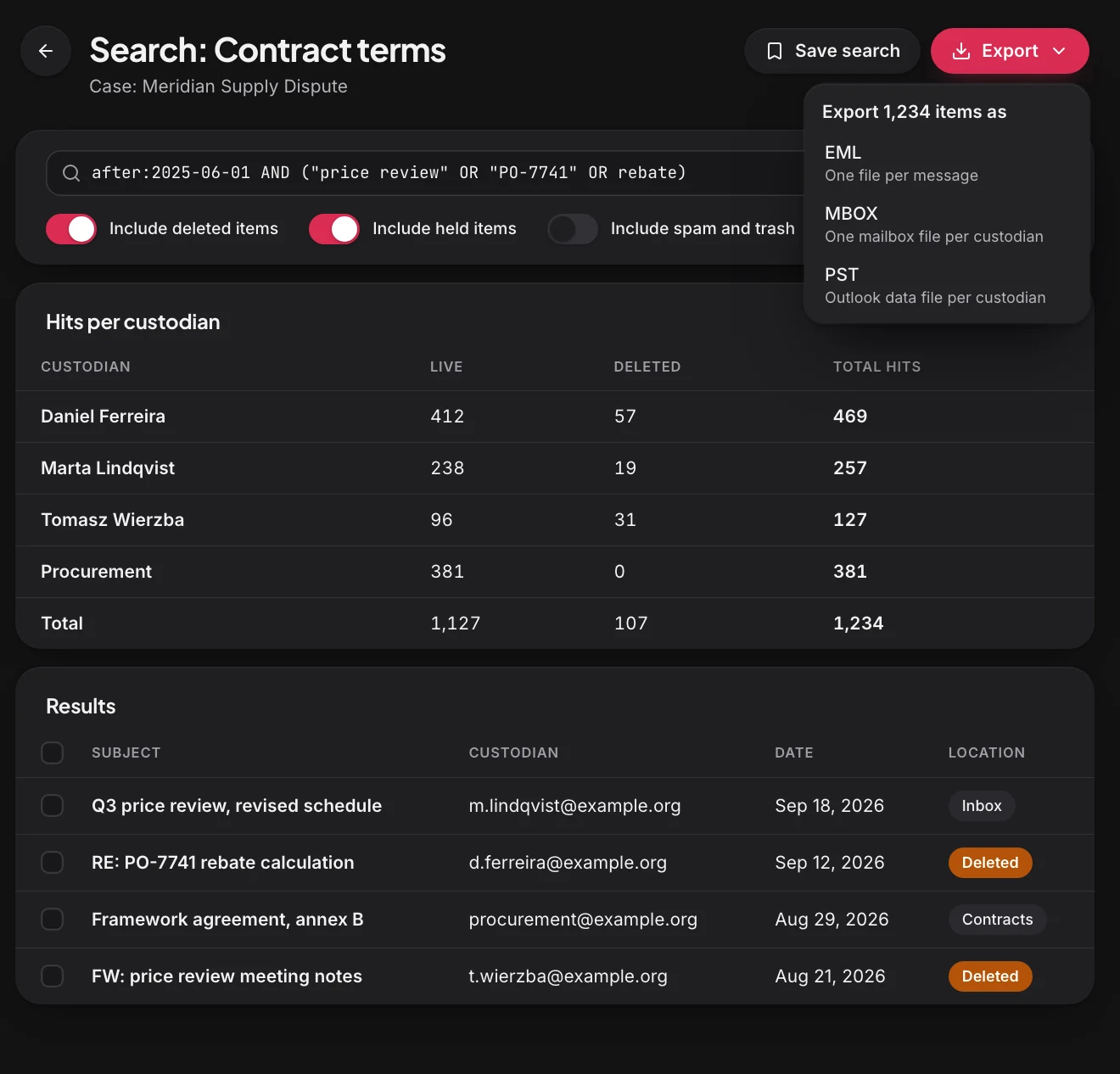
- Keyword, Boolean, metadata and attachment-text search, with saved searches.
- One search across live, deleted and held items, with spam and trash included or excluded on request.
- Hit counts per custodian before export.
- Review and tagging inside the case workspace, visible only to case members.
- Export as EML, MBOX or PST for mail, iCalendar for events, vCard for contacts and the original format for files.
- CSV metadata, an index for locating each record, and a SHA-256 manifest with every export, plus a log of who exported what.
Journaling to an external archive.
Some organisations are required to keep a copy of every message in a dedicated archive, or already run one. Journaling captures each message at the mail transfer agent (MTA), before delivery, so the copy includes Bcc recipients and expanded mailing lists and cannot be affected by anything a user does afterwards. Journal rules select which traffic is captured (internal, external or all, for chosen recipients or domains) and deliver an unaltered copy, with the full SMTP envelope, to an external archive, as an Exchange-compatible journal report or with the envelope added as headers, so existing archivers can ingest it. If the archive is unreachable, delivery is retried and can fall back to an alternate destination, so no message goes uncaptured.
- Inbound
- Outbound
- Internal
- External
- All
- Recipient
- Sender
- Domain
- Unaltered original and SMTP envelope
- Bcc recipients and list expansion included
- Exchange journal report or envelope headers
- Capture at the MTA, including Bcc recipients and mailing list expansion.
- Scope by direction, recipient, sender or domain.
- Unaltered original plus the SMTP envelope, delivered over SMTP as an Exchange-compatible journal report or with envelope headers.
- Retries and an alternate destination when the archive is unavailable.
- Import of historical mail from PST, EML, MBOX or IMAP sources so earlier records fall under the same policies.
A tamper-evident record of every compliance action.
Compliance tools are only trustworthy if their own use is accountable. Every search, view, export, hold and policy change is written to an audit log, together with configuration changes by administrators and every access to a mailbox by someone other than its owner. Entries are chained with cryptographic hashes and sealed with periodic signed checkpoints, so deleted or modified entries are detected. For records that must never be shortened, a retention policy can be locked: once locked, it cannot be disabled, shortened or deleted through Stalwart, even by the most privileged administrator. Retained data can also be stored on write-once object storage, such as S3 Object Lock in compliance mode, so the storage layer itself refuses early deletion. Designated contacts are notified whenever a retention policy, a hold or a compliance role assignment is created, changed or released.
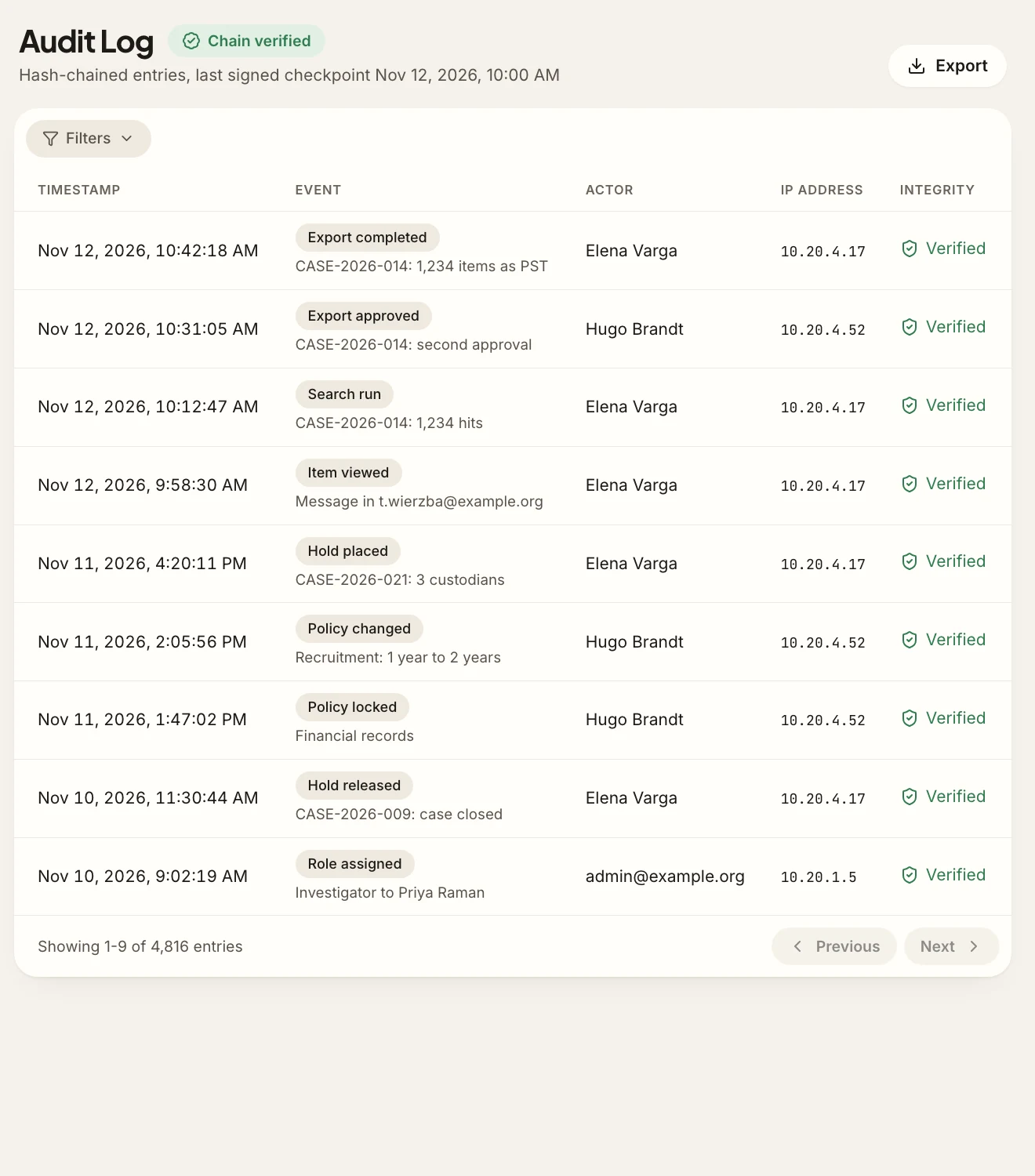
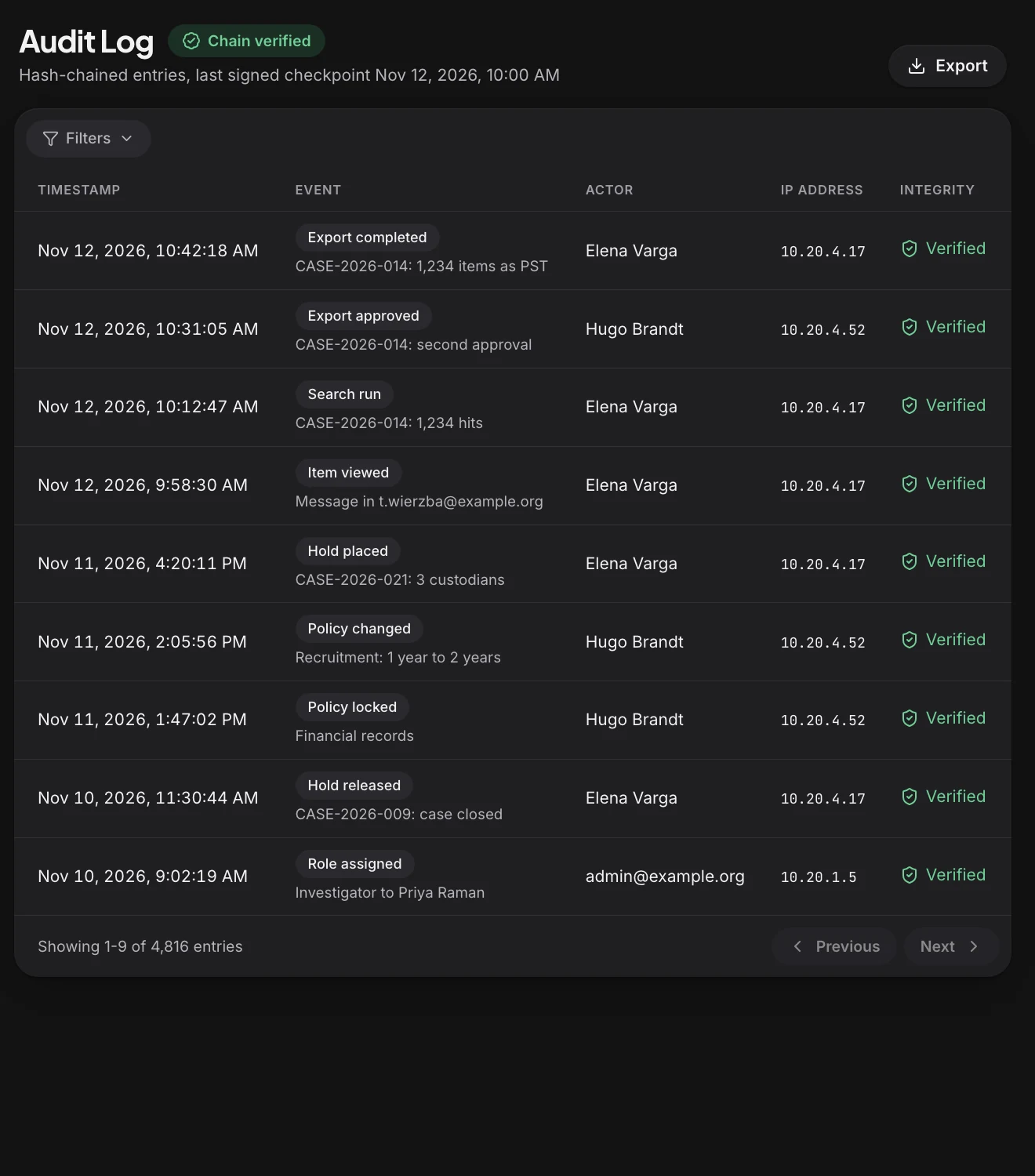
- Audit log of searches, views, exports, holds and policy changes, with user, time and IP address.
- Administrator configuration changes and mailbox access by delegates and administrators.
- Hash-chained entries with signed checkpoints that reveal deleted or modified entries.
- Locked retention policies that cannot be weakened through Stalwart.
- Write-once storage of retained data on S3 Object Lock in compliance mode.
- Checksums recorded when each record is stored, and automatic periodic re-verification that reports any record that no longer matches.
- Redundant copies of retained records, on separate storage, so a single failure loses nothing.
- Notifications to designated contacts when policies, holds or compliance roles change.
- Streaming of audit events to a security information and event management (SIEM) system through webhooks or OpenTelemetry.
Compliance roles separate from administration.
Mail administrators keep the service running; they should not be able to read everyone's mail, and investigators should not be able to reconfigure the server. The Compliance add-on adds dedicated roles for each job, which can be combined into custom roles. An auditor role gives an external auditor read-only, time-limited access to a defined set of data, and everything the auditor opens is logged. Exports can require approval by a second person before they run. On multi-tenant deployments, each tenant can run its own cases and holds without seeing any other tenant's data, so hosting providers can offer compliance to their customers.
- Mail administrator
- Configure the server
- Compliance investigator
- Search
- Hold
- Export
- External auditor
- View a defined set of data
- Compliance administrator, investigator and auditor roles, plus custom roles.
- Administrators without compliance roles cannot see message content through Stalwart.
- Every assignment of a compliance role is logged and notified.
- Time-limited, read-only auditor access with a log of every item viewed.
- Optional four-eyes approval for exports.
- Per-tenant compliance on multi-tenant deployments.
Built for the rules organisations are audited against.
The Compliance add-on provides the technical controls that common record-keeping and privacy regulations call for. Meeting a regulation also depends on policies and procedures that stay with the organisation, so the add-on supports compliance rather than certifying it.
-
GDPR. Storage limitation through retention policies with automatic deletion, erasure requests that respect active holds, and access requests answered with eDiscovery search and export.
-
SEC Rule 17a-4 and FINRA Rule 4511. Designed to support the audit-trail alternative of Rule 17a-4(f)(2)(i)(A), and write-once storage on S3 Object Lock: retention periods that cannot be shortened, a complete time-stamped audit trail, automatic verification of stored records, redundant copies, and export of records with an index and their history.
-
HIPAA Security Rule. Audit controls and integrity protection for electronic protected health information sent by email.
-
GoBD. Unaltered retention of business correspondence for the periods set by German commercial and tax law.
-
ISO/IEC 27001. Supporting evidence for controls on the protection of records, logging and the use of privileged access.
Every compliance task available through the API.
Large organisations and hosting providers rarely work only through a web console. Every compliance operation is available through the Stalwart management API and command-line tool, so holds can be placed from a case-management system and exports can feed review platforms.
- Create and release holds, run searches and start exports from the API or the CLI.
- Reports on retention coverage, active holds, export status and archive growth.
- Event notifications for holds, exports and policy changes through webhooks.
Compliance FAQ.
-
How is an archive different from a backup?
A backup restores a server after a failure and usually keeps a limited number of recent copies. Retention and legal hold keep individual records for as long as the rules require, make them searchable, and prove they have not been changed. Stalwart recommends both: the Compliance add-on does not replace backups.
-
Can administrators read everyone's mail?
Not through Stalwart. Searching and viewing mailbox content requires a compliance role, which is separate from the administrator role, and every assignment of that role is logged and notified. Every search, view and export is recorded in the audit log, and exports can require approval by a second person.
-
What happens when an employee leaves?
The account can be suspended or deleted without losing data that is under a retention policy or a legal hold. The preserved data stays searchable and exportable until its retention period ends or the hold is released.
-
Do new retention rules apply to mail that already exists?
Yes. A rule applies to existing data as well as new data, and the console shows how many items it will affect before it is saved. Items under a legal hold are never deleted by a rule.
-
How do retention and eDiscovery work with encryption at rest?
Journaling captures messages before Stalwart encrypts them at rest, so the journal copy is readable by the archive. Messages already stored in a mailbox with encryption at rest are preserved by retention policies and holds, but their content is encrypted with the user's own key, so eDiscovery can search only their header fields, such as sender, recipients, subject and date.
-
Can we keep using our existing archiving product?
Yes. Journaling delivers an unaltered copy of every message to any archive that accepts mail over SMTP, and historical mail from an earlier archive can be imported into Stalwart.
-
What happens if the Compliance subscription is cancelled?
Like other Enterprise features, the Compliance add-on is switched off when its subscription ends. Retention policies, legal holds and locked policies stop being enforced by Stalwart, so data that must be preserved should be exported before cancellation. Data stored on write-once storage stays protected by the storage layer until its retention date.
-
Is the Compliance add-on available in Enterprise Cloud?
Yes. It can be added to an Enterprise subscription for Stalwart On-Premise or to a Stalwart Enterprise Cloud deployment.
-
How is the Compliance add-on priced?
It is licensed per mailbox on top of the Enterprise subscription and enabled by the same license key. A quote and a pro-forma invoice can be obtained from the licensing portal.